Trace dependents
Trace direct dependents of multiple cells. Analyse large sheets and multi-sheet workbooks.
Understand downstream impact before making changes. Open Dependents and find formulas that rely on your selection.
Run the analysis
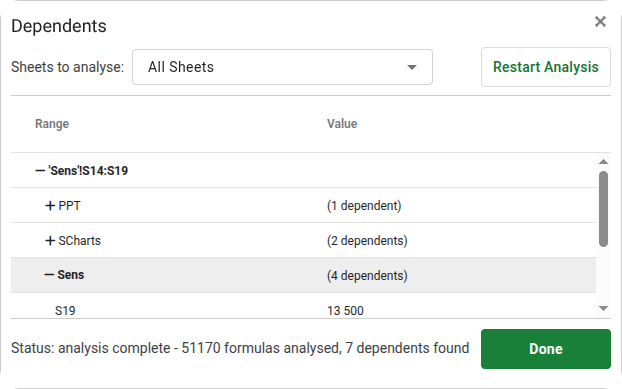
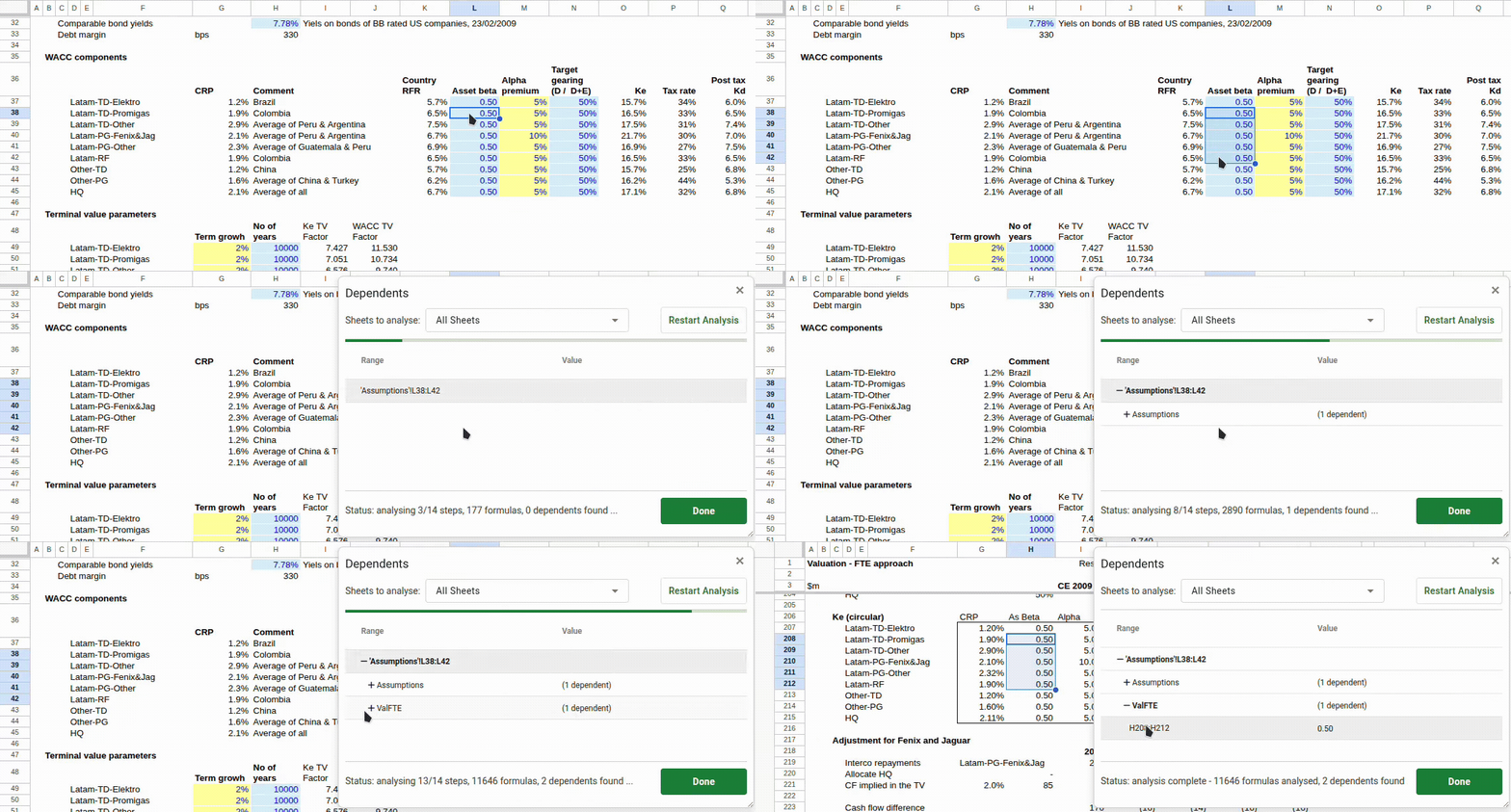
Press Alt + Q to launch analysis across all sheets. Select any single cell or group of cells, and watch as results arrive dynamically, grouped by sheet name and updated live as the analysis progresses. Select specific sheets to analyse and restart at any time with the restart button.
Navigate with the arrow keys: ← / → move in and out of sheets containing grouped dependent ranges, ↑ / ↓ navigate to each dependent range. Perfect for financial modelling and scenario analysis, so you can quickly verify which calculations will be affected by changes to key inputs.
Features
Analyse
Multi-cell selection
Select any single cell or group of cells to view all direct formula-based dependents, a unique capability not available natively in Google Sheets.
Comprehensive range detection
Supports all reference types including individual cells (A1 or $B$2), cell ranges (A1:C10), column slices (M166:M), column ranges (A:C), row slices (M166:166), and row ranges (3:10).
Named ranges resolved
Named ranges are fully resolved, so dependencies are traced to their actual underlying cell references.
Table references resolved
Structured table references like Sales[Qty] or Orders[[Col1]:[Col2]] are resolved to their underlying cell ranges, so dependents are traced accurately through table-based formulas.
Organise
Grouped by sheet
Results are intelligently grouped by sheet name, keeping large workbooks easy to navigate.
Consolidated into logical blocks
Contiguous dependent cells are automatically consolidated into matrices, rows, columns, or individual cells.
Keyboard‑driven navigation
Use ←, →, ↑, and ↓ to move quickly between dependent ranges.
Performance
Built for large workbooks
Designed for efficient analysis of very large sheets and multi-sheet workbooks.
Parallel analysis
Analysis runs in parallel, leveraging Google APIs and cloud infrastructure to avoid timeouts.
Graceful error handling
Errors are handled gracefully so partial results remain usable. Analysis can be restarted at any time with a manual selection of specific sheets.
Experience
Analyse all sheets by default
Analysis runs across all sheets by default, which is ideal for large, multi-sheet workbooks.
Keyboard‑first experience
Fast navigation with arrow keys, so you rarely need the mouse.
Direct formula dependencies
Only direct formula-based dependents are identified. Dependencies created through INDIRECT, OFFSET, or other dynamic functions are not detected.
Works inside Google Sheets.