Trace precedents
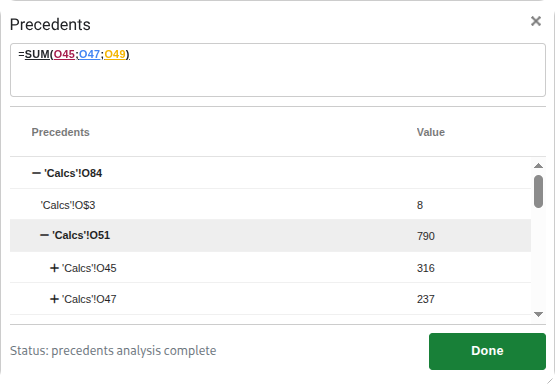
View all cells referenced by a formula in a single panel. See precedents of precedents, and jump to specific ranges directly from the formula.
Understand every input to your formula. Open Precedents and see all referenced cells and ranges in a single, organised window.
Follow the references
Press Ctrl + Shift + Q to launch. View all cells referenced by your formula, drill into ranges to inspect their underlying formulas and dependencies, and explore deeper layers by expanding precedents of precedents.
Navigate with the arrow keys: ↑ / ↓ move between precedent items; ← / → expand or collapse deeper layers. Click directly inside the formula to jump instantly to a specific referenced range. Optimised for keyboard-first analysis: fast, deep inspection without relying on the mouse.
Features
Explore
All precedents in one place
View every cell and range referenced by the formula in a clean, organised panel.
Click inside the formula
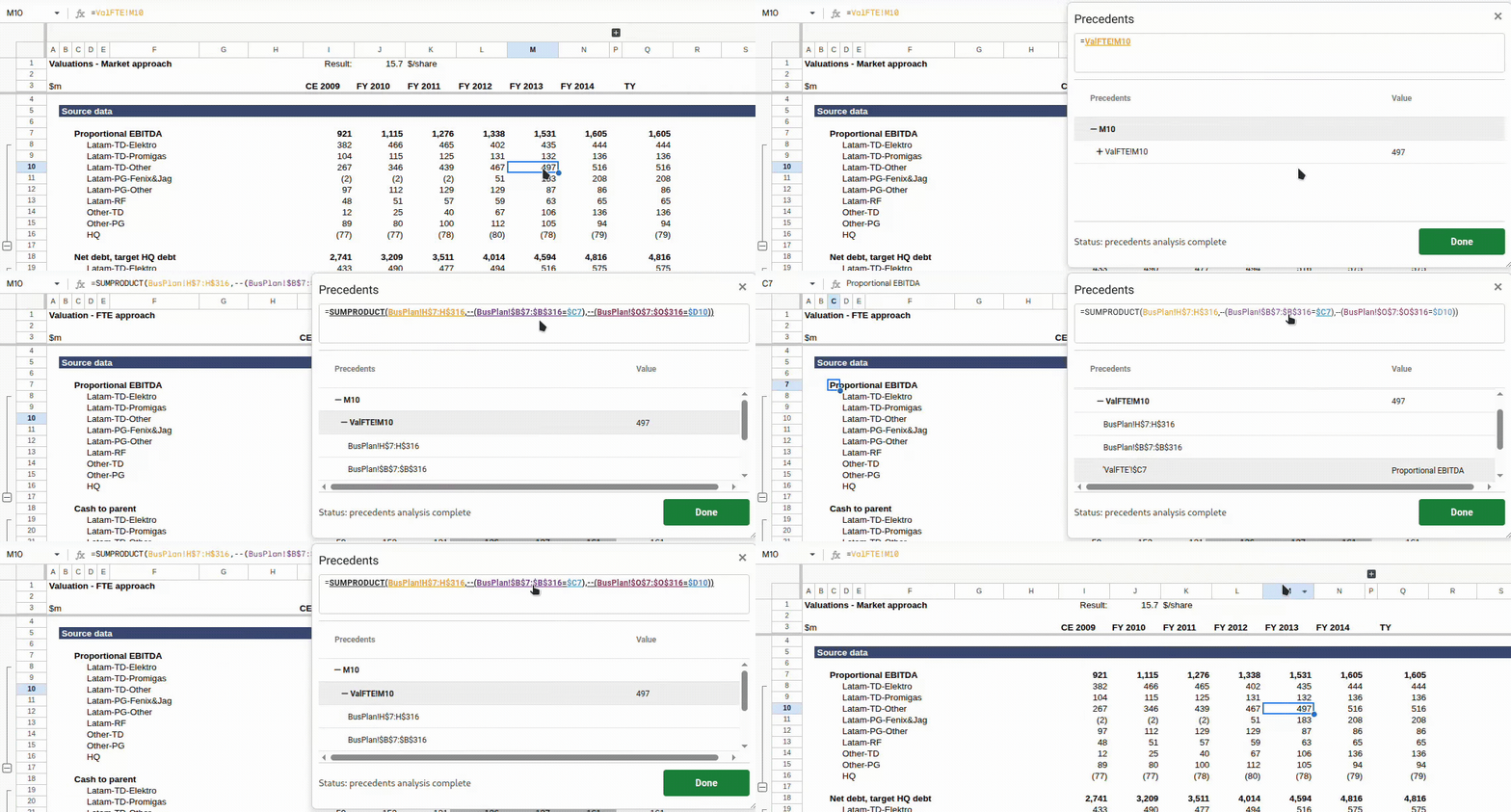
Click directly on any range reference in the formula to jump instantly to that range in the precedents list.
Precedents of precedents
Expand any precedent cell to reveal its own inputs. Drill as deep as needed to understand the full input chain and how calculations flow through your model.
Analyse
Comprehensive range detection
Supports all reference types including individual cells (A1 or $B$2), cell ranges (A1:C10), column slices (M166:M), column ranges (A:C), row slices (M166:166), and row ranges (3:10).
Named ranges resolved
Named ranges are fully resolved and displayed alongside their underlying cell references, making it easy to understand exactly where data originates.
Table references resolved
Structured table references like Sales[Qty] or Orders[[Col1]:[Col2]] are resolved and displayed alongside their underlying cell ranges, so you can see exactly where table-based data originates.
Automatic range expansion
Compact ranges (up to 22 cells) and named ranges are automatically expanded to show individual cells. Recurse into any expanded cell to explore its own precedents, which is ideal for understanding array formulas and range-based calculations.
Navigate
Up / Down through precedents
Use ↑ and ↓ to move quickly between precedent cells and ranges.
Expand / collapse layers
Use ← and → to expand or collapse deeper dependency layers, and the selected item stays in view as the tree updates.
Keyboard‑driven navigation
Designed for fast, keyboard-first analysis: navigate deeply through complex formula chains without reaching for the mouse.
Performance
Engineered for speed
Built with a new architecture that delivers instant responses, even on very large sheets and complex multi-tab workbooks.
Always responsive
Navigation and expansion feel immediate, with no waiting for results as you drill into deeper layers of your formula hierarchy.
Workflow
Edit while inspecting
Keep editing your spreadsheet freely, with no need to close the Precedents window.
Quick close
Dismiss instantly with Esc, no mouse required.
Experience
Keyboard‑first experience
Fast navigation with familiar shortcuts, so you rarely need the mouse.
Familiar workflow
Designed with an experience similar to powerful Excel add‑ins: fast, focused, and intuitive.
Direct formula references only
Only direct formula-based precedents are shown. References created through INDIRECT, OFFSET, or other dynamic functions are not traced as precedents.
Works inside Google Sheets.